
SortSage
SortSage is a Windows desktop application that automatically organizes files into folders using customizable rules based on file type, name patterns, size, and date.

What makes SortSage different
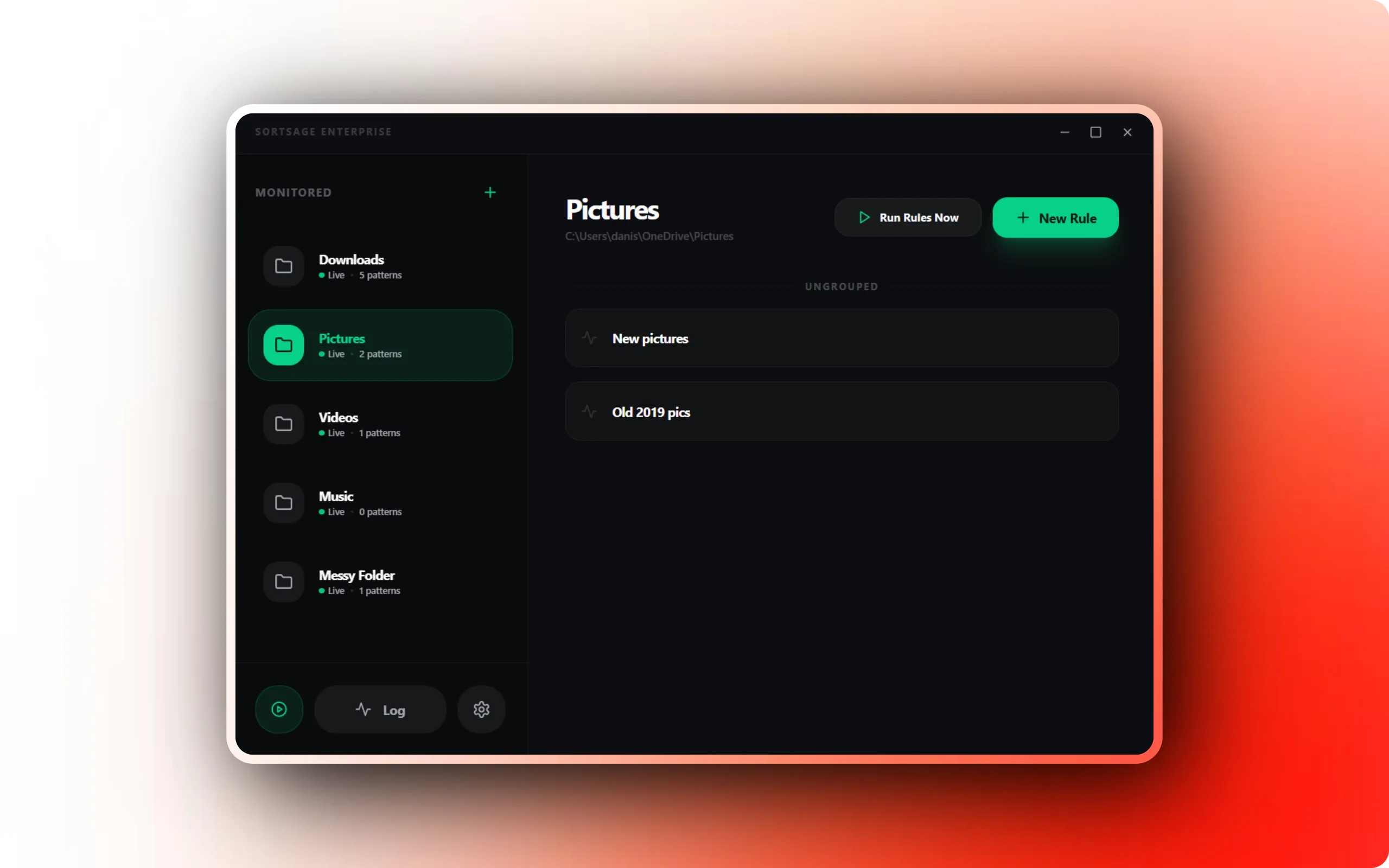
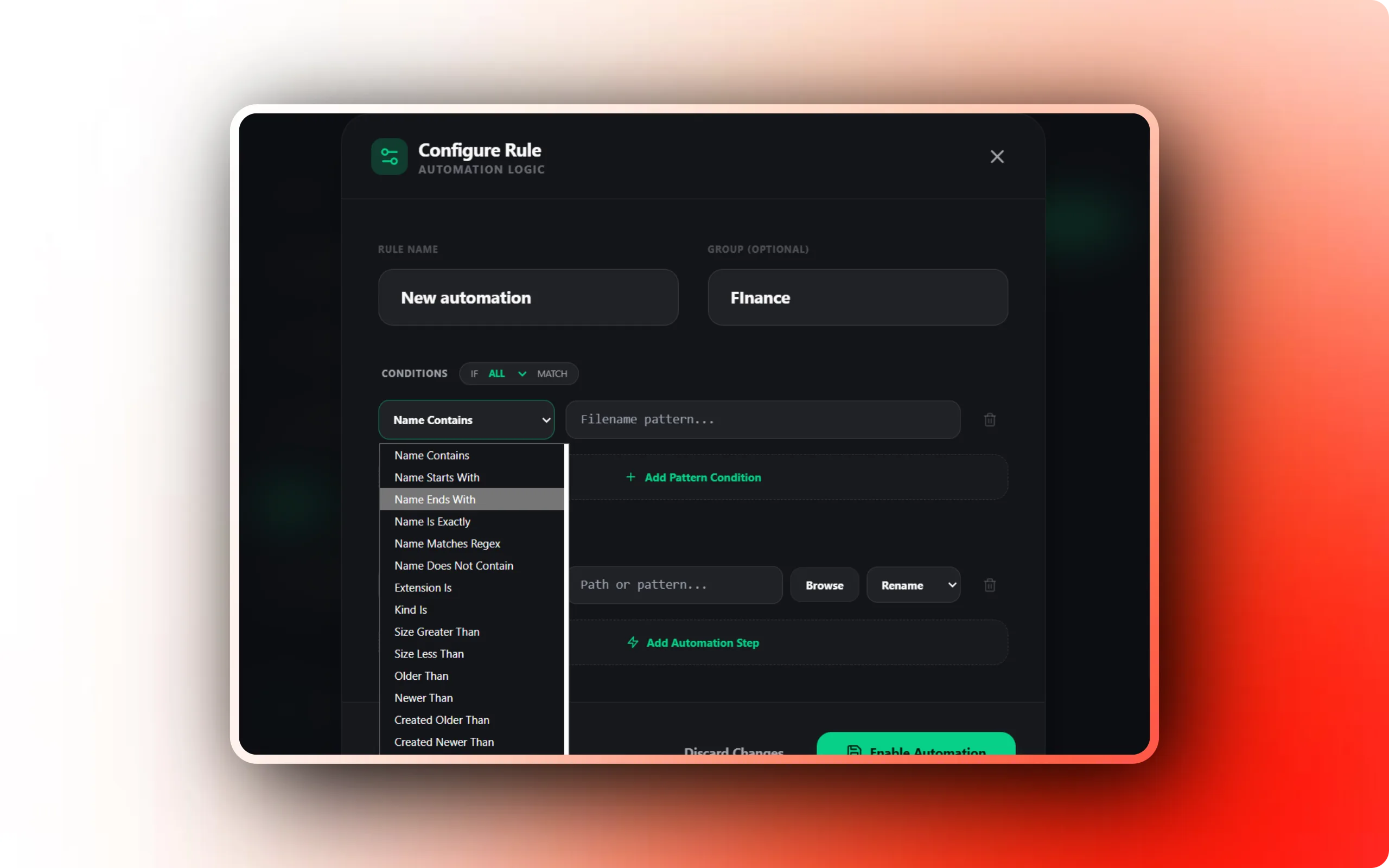
SortSage automatically moves and organizes your files based on customizable rules. Define patterns by file type, name, date, or size, and let SortSage handle the rest. No more cluttered Downloads folder.
Custom Rules Engine
Create rules based on file extension, name patterns, size, date, and more. Combine multiple conditions for precise control.
Real-Time Folder Monitoring
Watch folders in real-time and automatically sort new files as they appear. Works silently in your system tray.
Smart Collision Handling
Choose what happens when a destination file already exists: smart rename, overwrite, skip, or ask. Per-rule control.
And there's more
Undo and Dry Run
Preview exactly what will happen before running, and undo any operation instantly. Never lose a file.
Lightweight and Fast
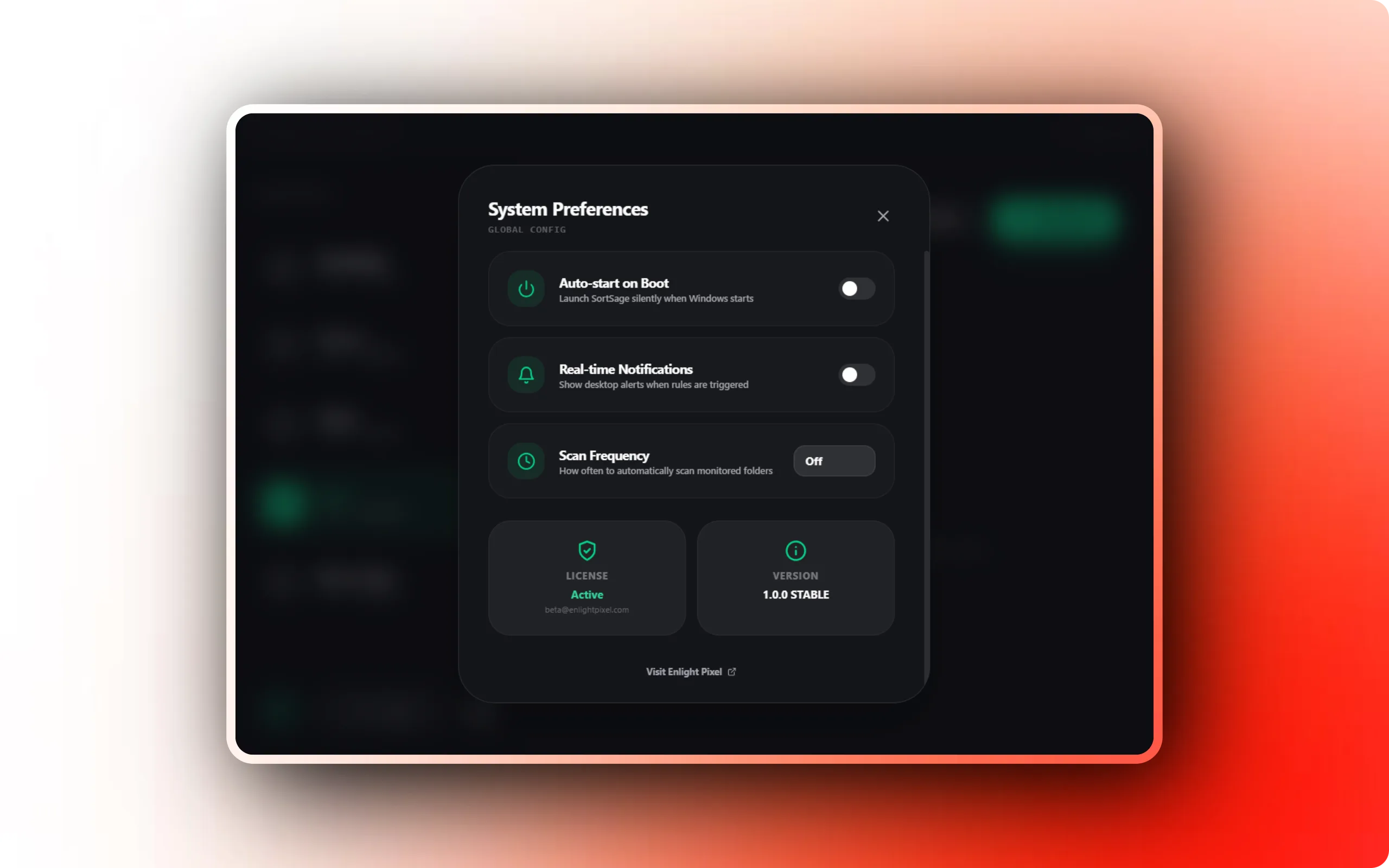
Uses minimal CPU and memory. Starts with Windows and runs silently. No Electron bloat.
100% Offline
Works entirely offline. Your files never leave your machine, and the software works even without internet.
How SortSage works
From install to results in four steps.
Define your rules
Create sorting rules based on file type, name patterns, size, or date. Combine multiple conditions for precise control over how files are organized.
Point at your folders
Select the folders to monitor — Downloads, Desktop, project directories. SortSage watches them continuously in real-time from the system tray.
Let it sort
Files are automatically moved to the right location as they arrive. Smart collision handling ensures nothing is lost or accidentally overwritten.
Review and undo
Every operation is tracked in full history. Preview with dry run first, or instantly undo any sort if something doesn't look right.
Technical details
Platform
Windows 10 or later
Offline app · Gumroad activation
Memory
2 GB RAM
System requirement
Storage
50 MB free disk space
System requirement
Privacy
Local processing
Files are processed on your device. Activation checks purchase access.
License
Perpetual License
Pay once. Keep the purchased version. Updates within the same major version are included.
Updates
Included
Updates within the purchased major version
What you get with SortSage
A closer look at the capabilities and how they fit into your workflow.
| Capability | How it helps |
|---|---|
| Custom Rules Engine | Create rules based on file extension, name patterns, size, date, and more. Combine multiple conditions for precise control. |
| Real-Time Folder Monitoring | Watch folders in real-time and automatically sort new files as they appear. Works silently in your system tray. |
| Smart Collision Handling | Choose what happens when a destination file already exists: smart rename, overwrite, skip, or ask. Per-rule control. |
| Undo and Dry Run | Preview exactly what will happen before running, and undo any operation instantly. Never lose a file. |
| Lightweight and Fast | Uses minimal CPU and memory. Starts with Windows and runs silently. No Electron bloat. |
| 100% Offline | Works entirely offline. Your files never leave your machine, and the software works even without internet. |
Common questions about SortSage
How does SortSage differ from other file organizers?
Does SortSage move or copy files?
Can I run SortSage on startup?
What happens if a file with the same name already exists?
Is there a free trial?
Pay once. Keep the purchased version. Updates within the same major version are included. 14-day refund policy.
Get SortSage today
Pay once. Keep the purchased version. Updates within the same major version are included. 14-day refund guarantee.